メッセージングのセキュリティ試作
SnapSecure
暗号化メッセージでの鍵変更通知と、明示的な確認手順を探るプロトタイプ。
問い
受信者のセキュリティ上の識別情報が変わったことを、送信者に分かりやすく伝えるにはどうすればよいか。
プロトタイプの流れ
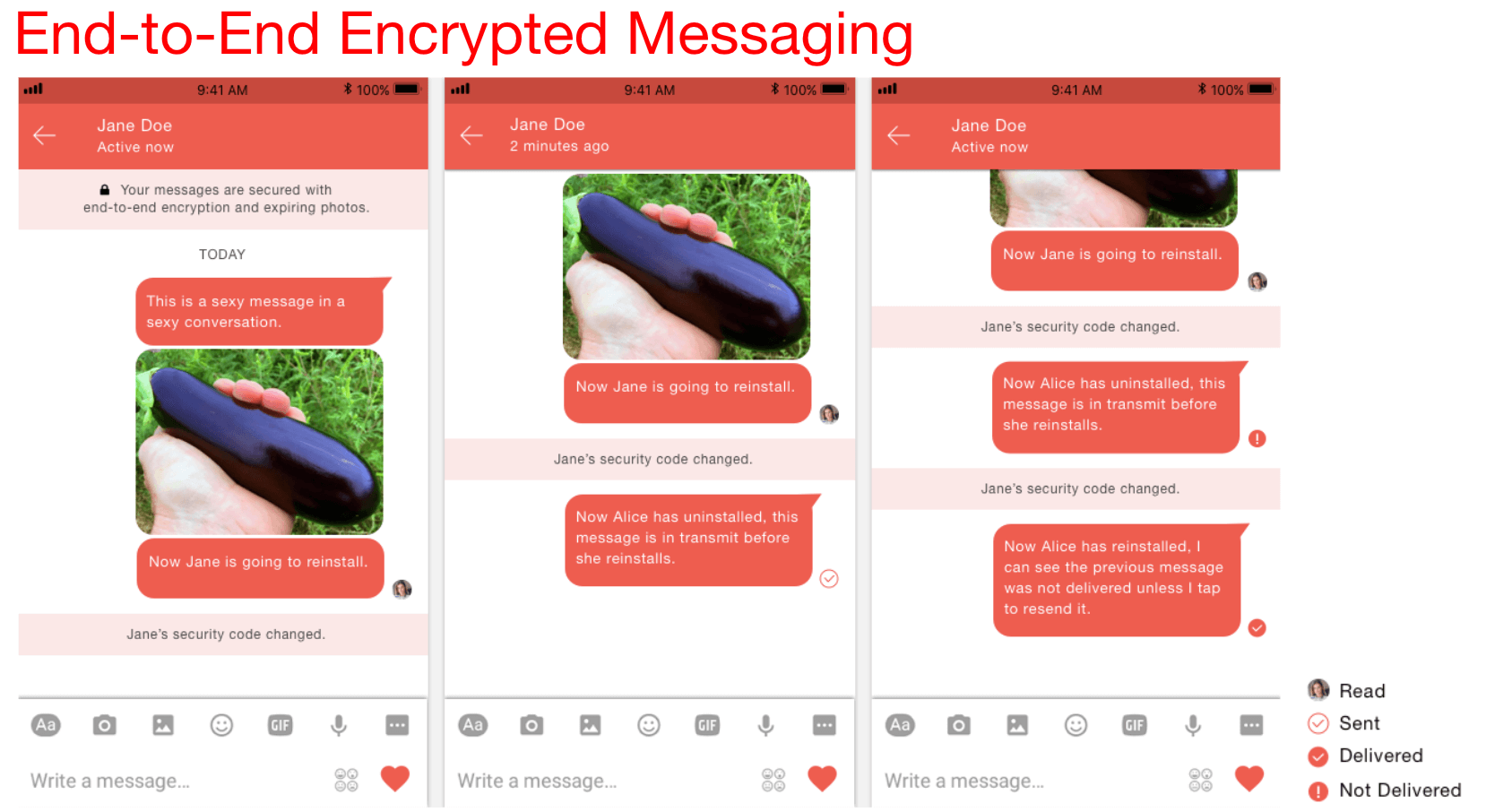
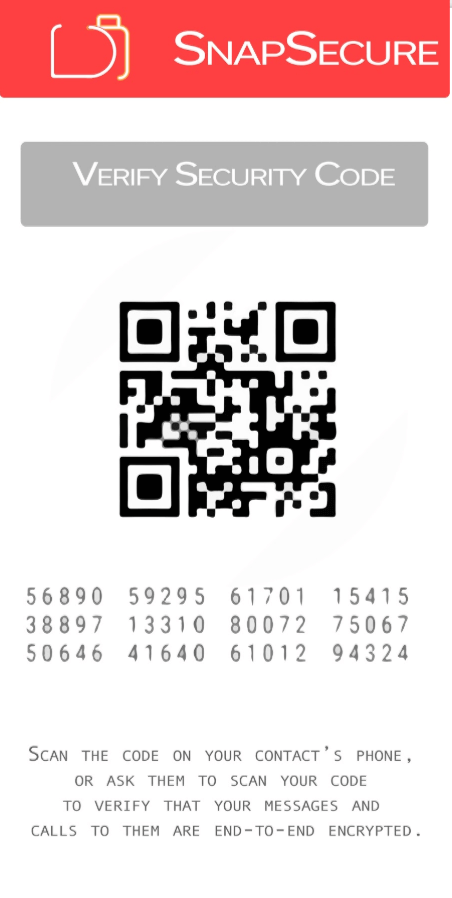
受信者の鍵が変わったときの送信停止、セキュリティコードの確認、QRコードによる照合を検討しました。確認後の再送信では、送信者が明示的に選択する流れにしました。
取り組みの範囲
画像・動画共有のなじみある操作と、セキュリティ状態の可視化を組み合わせた試作です。過去のUIコンセプトと画面を説明するものであり、他製品の現在の脆弱性や、監査済みの本番リリースを主張するものではありません。
重点領域
共同制作者
Sharif Hadidi、Sandy Hseu
当時のリサーチ・プロジェクト資料を見る(英語)
以下は当時のオリジナル資料です。本文と図中の表記は英語のまま掲載しています。
Historical material from the original 2017 project. Market comparisons, pricing, assumptions, and planned features reflect that period, rather than current product claims.
Prototype capabilities
Provides complete transparency around where data might possibly not be encrypted.
Asks before resending message after installation
Uses Signal protocol
Provides Snapchat features in encrypted manner:
Sharing images & videos storable for up to 24h
Fully Encrypted Live videos
4. Blocking Notification
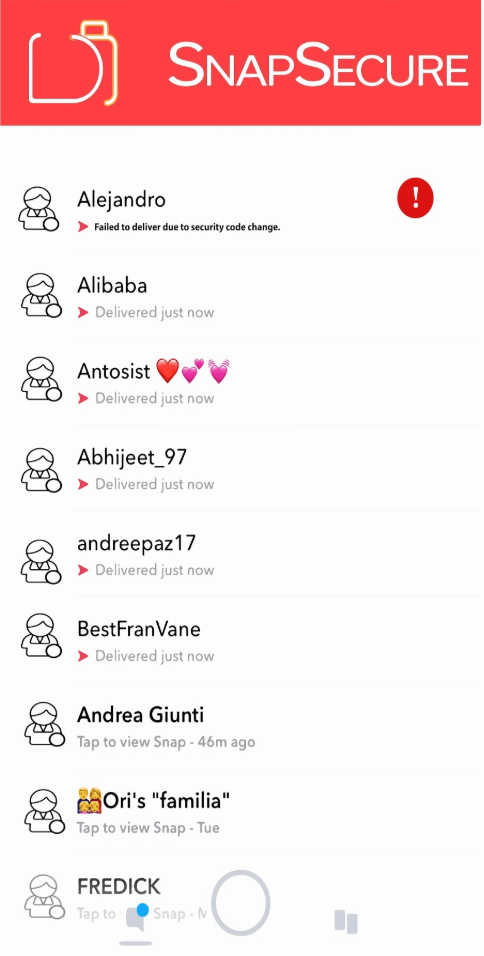
The message is blocked if the App detects a change in the receiving user’s key. Thereafter, the users have to manually verify their security codes once more.
5. Verify Your Security Code
Construction of a QR code for quick comparisons. Asks for user approval to verify codes manually, .
6. End-to-End Encrypted Messaging
7. Re-send Notification
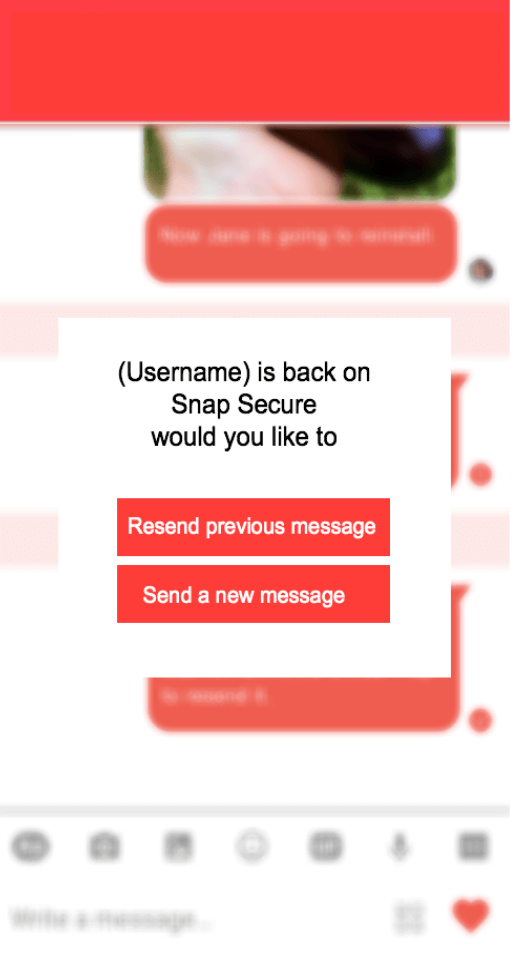
Once the receive user has reinstalled the app, the sending user will be asked to resend the message or send a new message.